
MMET PLUS GUIDE (MCOUNTDOWN)
- TEMPEST SUPPORT LAND
- 11 thg 6, 2023
- 1 phút đọc

Đã cập nhật: 21 thg 6, 2023
How to create accounts and voting guides for Mnet Plus (Mcountdown)
How to create account?
- Go to Mnet Plus website: Link
Or you can download Mnet Plus app
- Choose 'Sign up', check all Accept Terms and Conditions then click 'Next'


- Enter your DOB and gender

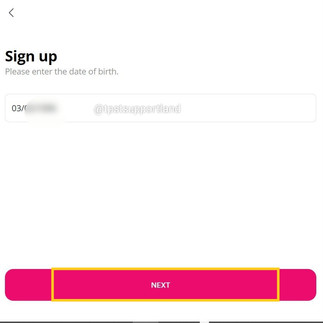


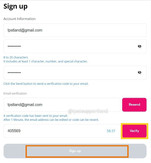
- Enter your email adress and set password. Click 'Send'. Check your mail to receive 6-digit code and fill code then click 'Verify' and 'Sign up'.




- After log in, you need to join Mcountdown community. Find 'Mcountdown'. Enter your nickname and click 'Go go' then you successfully join Mcountdown community





How to vote Mcountdown?
- Voting time:
Pre voting: Saturday 12am - Monday 11:59pm KST
Live voting: Thursday 6pm KST
- Voting method: Find Mcountdown pre-vote banner. Click and find TEMPEST song then drop your vote
1 account = 1 vote per day. Make sure to create multi accounts.


Bình luận